
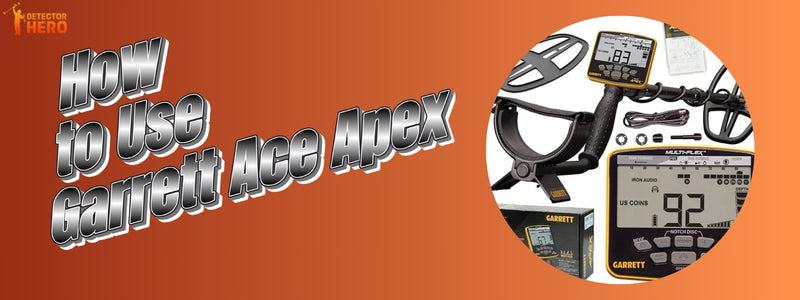
The Garrett Ace Apex is for folks who desire serious performance but don't want to bother with sophisticated controls. This device is great for both beginners and anyone who wants to upgrade from a basic detector. It is flexible, accurate, and easy to use. You may use it in parks, fields, beaches, and even mineralized soil, so it's good for a variety of hunting styles. What makes it stand out is that it can handle more than one frequency, so you may search for coins, relics, and jewelry with certainty. This article shows you how to use the detector correctly, which means you won't have to guess as much and will find more valuable targets.
What Comes in the Box
Everything you need to get started is in the box when you open it. You will get the control box with a clear digital display, a light adjustable shaft, and the Viper search coil. The coil is waterproof, so you may safely search in shallow water and wet ground. It already has a built-in rechargeable battery, so you don't have to keep buying new ones. You also get a charging wire and mounting hardware. Even if you've never used a detector before, the pieces are clearly marked and straightforward to put together. Putting everything together is easy, and you won't have to buy anything else before your first hunt.
Key Features of the Garrett Ace Apex
The Ace Apex is easy to use and has the latest technologies. The most obvious benefit is that it may be used in different settings without having to make changes all the time.
Key features include:
- Multi-Flex frequency technology
- Lightweight and balanced design
- Digital target ID display
- Iron Audio for identifying unwanted targets
- Waterproof Viper coil
- Built-in rechargeable battery
These elements work together to make the depth, accuracy, and separation of targets better. The detector delivers clear visual and aural feedback instead of making users guess when a signal is worth exploring.
How to Assemble the Garrett Ace Apex
It only takes a few minutes to put the Ace Apex together. To begin, connect the middle shaft to the lower shaft, making sure the coil is facing forward. Put the upper shaft in place and tighten it until the detector feels good in your palm. You don't need any tools to put the control box on top. Wrap the coil cable around the shaft in a neat way, keeping enough slack near the coil so that it doesn't get too tight when you move it. Putting things together correctly makes them more stable and less tiring during extended hunts. When put together correctly, the detector feels light and stable, which makes it simpler to keep a steady swing in the field.
How to Turn on and Set Up Garrett Ace Apex
Just press the power button to turn on the detector. When the screen turns on, you will see the target ID numbers, the battery level, and the mode indicators. Make sure the battery is completely charged before you go hunting so you can use it without any problems. The default settings are easy for beginners to use, so you can start detecting right away. Set the volume to a level that is comfortable and make sure that your search mode fits the environment. This first step is critical since it makes sure that the feedback is correct while the system is detecting. Taking a minute to go over these essentials might save you a lot of trouble when you're out in the field.
Choosing the Right Search Mode
Search modes assist the detector find certain kinds of targets. Each mode automatically changes how sensitive, discriminating, and responsive the audio is.
Zero Mode
If you want to hear everything under the coil, Zero Mode is the finest setting. It doesn't discriminate much; thus, all sorts of metal can respond. This mode is helpful for experienced users who want to find relics or understand how different targets sound. It can be used for practice by beginners, although it may be loud in locations with a lot of rubbish.
Coins Mode
Coins Mode is meant to ignore most iron and only pay attention to typical coin ranges. It gives clear signals and consistent target IDs, which makes it great for parks and other public places. This setting cuts down on excessive digging and helps newcomers feel more sure of themselves quickly.
Relics Mode
Relics Mode is a good blend of depth and discrimination. It lets you find more iron than Coins Mode, which helps users find older things that are typically mixed in with rusted trash. It works effectively in areas and places with a lot of history.
Jewelry Mode
Jewelry Mode works well for finding small and medium-sized conductive targets. It can pick up rings and chains, which makes it great for beaches and playgrounds where people often lose jewelry.
Custom Mode
You can store your own settings in Custom Mode. You can change the sensitivity and discrimination settings to fit your needs and use them again without having to reset the detector.

Understanding Sensitivity and Discrimination Settings
Sensitivity determines how deeply the detector can find metal. Higher sensitivity makes the depth greater, but it can also create misleading signals in busy places. Discrimination lets you block metals you don't desire, like iron. To detect smoothly, you need to find a balance between these two values. Higher sensitivity works best in clean areas. In trashy places, lowering sensitivity a little and raising discrimination makes things more stable. Learning how to tweak these parameters can help you avoid becoming tired and digging too much. Instead of turning things up to the utmost, making small changes over time gives better results and clearer messages.
How to Ground Balance the Garrett Ace Apex
Ground balance helps the detector work better in mineral-rich soil. The Ace Apex has automatic ground balancing, which makes it easy to use. While holding the coil just over the ground, press the ground balance button. The detector will change on its own in a few seconds. This stage is very crucial in places where there are a lot of minerals or damp sand. Getting the ground balance right makes the signal clearer and deeper and cuts down on false readings. This change will make sure that your performance stays the same throughout your hunt.
How to Read Target ID and Audio Tones
The screen shows target ID numbers, which tell you what kind of metal was found. Lower numbers usually mean iron, whereas larger numbers usually mean coins or silver. Audio tones help confirm targets along with visual IDs. Items with solid numbers and consistent tones are more likely to be worth something. Jumping numbers and breaking sounds are generally signs of rubbish. Over time, paying attention to tones will help you find targets without having to look at the screen all the time. Using both auditory and visual input helps you make better digging choices.
Proper Swing Technique for Accurate Detection
A good swing makes it easier to hit targets and lowers the number of missed ones. Don't touch the coil, but keep it close to the ground. Swing at a steady tempo and let each pass overlap a little. Don't lift the coil at the end of each swing because this makes it less deep. Keeping a steady motion makes sure that the detector reads targets appropriately. If you rush or swing too fast, you could overlook weak indications. Practicing a consistent swing technique makes a big difference in performance, especially when there are targets far out.
Pinpointing Targets Accurately
Pinpointing helps you find the exact spot of a target before you start excavating. While carefully moving the coil over the signal, press and hold the pinpoint button. The sound that is the loudest tells you where the target is. This cuts down on the time it takes to dig and stops extra harm to the ground. Accurate pinpointing is highly helpful in public places where tidy recovery is important. With experience, you'll be able to find targets quickly and make perfect plugs every time.
Digging and Recovering Targets Safely
Good metal detecting includes being responsible when you retrieve something. For accuracy, use a small digging tool or hand trowel. Cut a clean plug and put the dirt you took out on a cloth to keep the area neat. After you get the target back, put the soil back and push the plug back into place. This procedure doesn't leave much of a mark. Respecting the environment keeps detecting welcome in public places and protects areas for future hunts.
Best Settings for Different Environments
|
Environment |
Recommended Mode |
Sensitivity |
Notes |
|
Parks |
Coins |
Medium |
Reduces trash signals |
|
Dry Beach |
Jewelry |
High |
Finds small items |
|
Wet Sand |
Zero |
Medium |
Ground balance required |
|
Fields |
Relics |
Medium-High |
Good depth balance |
Adjust settings based on ground conditions for best results.
Common Problems and Troubleshooting
High sensitivity or electrical interference can often cause false indications. If the detector feels unsteady, lower the sensitivity a little bit. Inconsistent target IDs could mean trash or deep targets. If the depth doesn't appear right, check the ground balance and the tightness of the coil cable. Most problems can be avoided by keeping the detector in good shape and adjusting it as needed. Knowing about these typical difficulties makes it easier to fix them promptly without getting upset.
Maintenance and Care Tips
After every hunt, and especially after using it on the beach, clean the coil. Use a dry cloth to wipe down the control box and keep it from getting too wet. Put the detector away in a cold, dry location. To keep it working well, charge the battery often. Taking care of the detector properly will make it last longer and work reliably every time you use it.
Garrett Ace Apex Tips for Beginners
To learn tones and IDs, practice in your yard with buried coins. Before trying out more complicated settings, start with Coins Mode. Even if they seem weak, dig repeatable signs. You will get better outcomes if you are patient and practice. You'll gain confidence over time and be better able to spot important objectives.
FAQ’s
1. Can beginners use the Garrett Ace Apex without prior experience?
Yes, beginners may use it right away. The predefined search modes are well-balanced and don't need any technological know-how. You may switch it on, choose a mode, and start detecting right away. You can learn more about sophisticated settings over time.
2. Does the Garrett Ace Apex work well in trashy areas?
It works well in places with a lot of metal garbage since it can tell the difference between targets. Using the right discrimination and lowering the sensitivity a little bit helps you find valuable targets more easily.
3. How long does the battery last on a full charge?
A full charge usually lasts a whole day of normal use. Depending on the volume level, sensitivity settings, and how often you use it, the battery life may change.
4. Can I use the Garrett Ace Apex at historical sites?
Yes, it is good for finding relics in ancient farms and historic sites. But before you start detecting, make sure to check the regulations and permissions in your area to make sure you can search there.
5. Is the Garrett Ace Apex lightweight enough for long hunts?
Yes, because it is light and balanced, it doesn't tire out your arms as quickly. This makes it easy to use for long periods of time, even for people who detect for hours at a time.
Final Thoughts
The Garrett Ace Apex works really well without being too much for the user. It is a great choice for both beginners and amateurs because it is flexible, accurate, and easy to use. It gives the same outcomes in different situations if you set it up and practice correctly. The Ace Apex is a good purchase if you want a detector that will improve with your talents.
Share:
How to Use Garrett ACE 400?
How to Use Garrett AT Gold?