
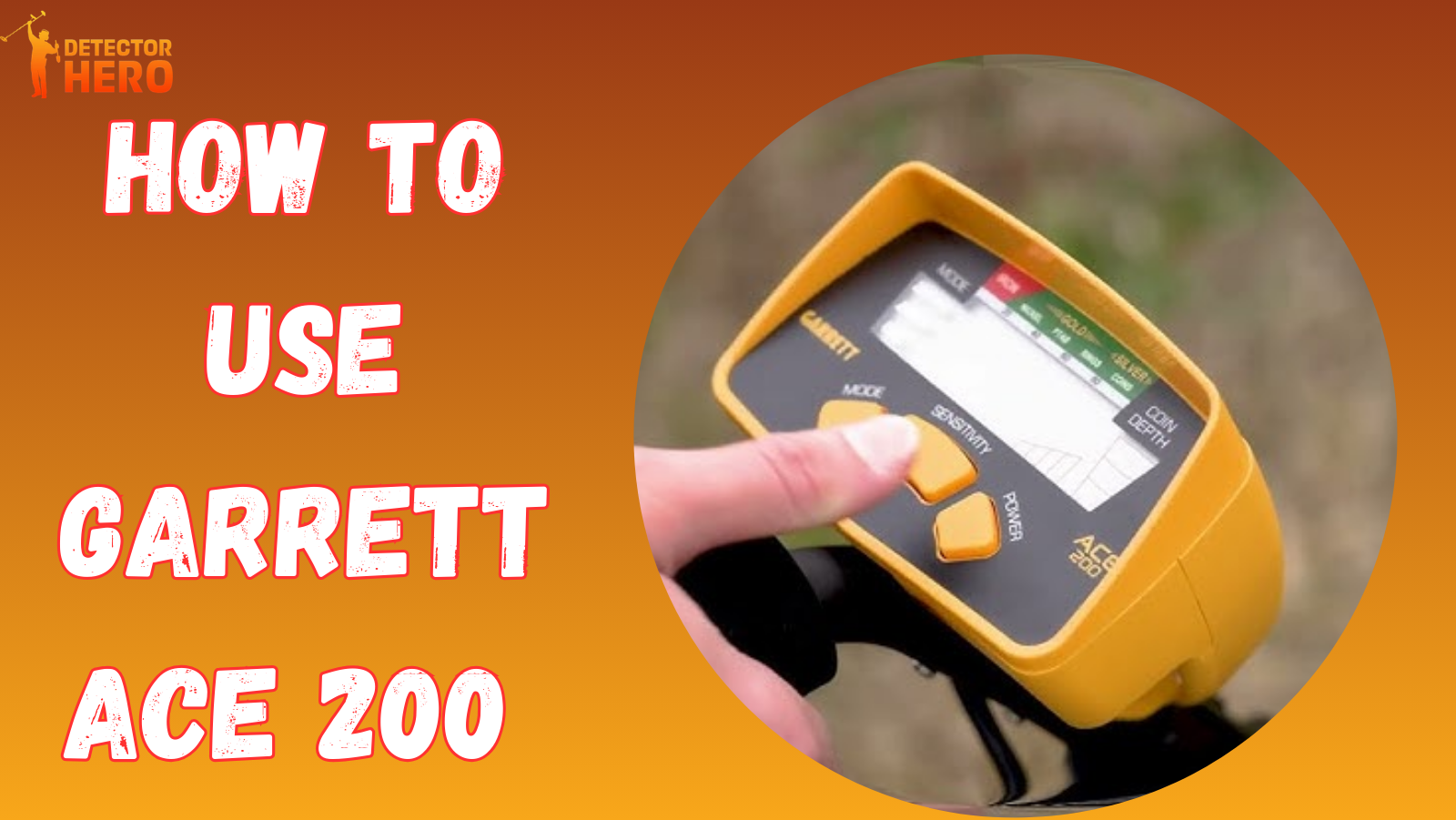
Garrett ACE 200 is built for simplicity and eases the learning curve when it comes to metal detecting. It’s lightweight, easy to put together, and the controls are easy to understand. You don’t have to spend hours studying how to use this. The Garrett ACE 200 will help you when you are searching for local parks, old fields, and even your backyard. The Garrett ACE 200 is a great place to start. It is a great metal detector that focuses on the basic and fundamental features rather than settings that are advanced and complicated settings. This is a great beginner metal detector and will help you get coins and relics quickly \without having to make advanced adjustments.
Garrett ACE 200 Specifications & Key Features
The ACE 200 is capable of doing 6.5 kHz. This is a great frequency to use for coins and everyday metal targets. The ACE 200 comes with a digital Target ID scale which will be able to help you identify the items that are underground before you start digging. You will also have access to 3 preset search modes, depth indicator for coins, and adjustable sensitivity. The ACE 200 features have been streamlined to get glitch and drawn out features out of the way in order to help you get what you need.
How to Use Minelab Equinox 900?
Unboxing and Assembly Guide
It takes only a few minutes to set up the ACE 200. Inside the box are the control unit, search coil, upper and lower shaft pieces, arm cuff, mounting hardware, and battery compartment. First, bolt the coil to the lower shaft. Then, coax the upper shaft to a height that suits you. Attach the control box, snug the coil cable around the upper shaft, and install your batteries. Your control box cable should not be loose, as a freely moving cable can result in a false signal. Once the assembly is complete, you are ready to switch it on and start detecting.
Understanding the Control Panel
The control panel is simple and easy for a beginner to understand. Your power button is used to switch the detector on and off. Sensitivity controls mean that you can choose the detection strength to meet your ground conditions. The discrimination button allows you to filter metals. Target ID numbers and a depth indication can be seen on the screen for coin-sized objects. Different metals produce different sounds via audio tones. Take a few minutes to press the buttons and watch the display so that you can understand the control panel before you start detecting.
Search Modes Explained
Ace-200 has three search mode settings: All-Metal, Jewelry, and Coin. All-Metal mode detects every target. However, while it saves the most depth, it has the potential to find the most trash. Jewelry mode finds small, valuable items while filtering iron. Coin mode finds the most common coin ranges, which makes it the preferred mode for playgrounds and parks. It is simple to adjust to the search mode setting you prefer, which saves you the time of having to adjust to complex settings for different locations. Each search mode saves you time and allows you to home in on the targets that you want.
How Ground Conditions Affect Performance
The performance of your detector is greatly impacted by the conditions of the ground. When the soil is highly mineralized, you may notice unstable signals and excessive noise. Slightly lowering the sensitivity may help stabilize things. Also, wet sand and dry sand near salt water will create interference. In those situations, it is preferred to set the sensitivity to a medium. If you are in a location that has a lot of trash, you may want to be a little more careful when it comes to your discrimination settings to avoid constant beeping. Dry, clean soil is usually the ground that will provide the best results. By learning how the ACE 200 reacts in different situations will provide you with increased confidence to separate the valuable items from the noise of the ground.
Step-by-Step Guide to Start Detecting
To begin searching, select a favorable area, such as an older park or an old yard. Start the detector and set the search mode of your choice. Set the sensitivity to quiet mode (stable). Maintain the coil one inch above the soil as you start to swing it. Make sure to swing the coil perpendicularly in a 'W' like pattern, and swing in such a way as to overlap the coil at each pass, in order to not miss any potential targets. When a target signal is detected, scan the area a second time to confirm that the target signal is consistent. Be sure to dig the Trash and return the soil to the hole once your target is recovered to keep the area clean.
How to Interpret Signals Correctly
To understand signals, it takes time and practice to start understanding how it all works. Target ID is the first clue you see, and each number corresponds to a general range of metals. Lower values typically range in iron, while mid-range values can indicate foil or a nickel. Coins like or even silver may indicate a high value. Audio tones, in addition to having a role of their own, also indicate in what range your target may be, consisting of. A signal is good if it is repeatable and gives you a clear noise from a POV over multiple angles. If the signal is erratic and all over the place, it is likely just trash. If there is a signal and the indicator is consistent, it is likely something good.
Best Settings for Different Hunting Scenarios
For park jewelry hunting, a good starting point would be Coin mode, set at medium sensitivity. In each park, different levels of sensitivity are reasonable for different levels of surface trash. If you are at a park where there are a lot of small pieces of trash, you can set your sensitivity a little higher, because there are fewer pieces of trash. If you are hunting at a park where there could be small pieces of jewelry, you can set your sensitivity higher to capture those mid-range pieces while ignoring the larger pieces of trash. If you believe there are relics deeper in the soil in older fields, you can switch to All-Metal mode, because this mode can detect relics deeper than the other modes. If you are hunting at the beach, try starting in the dry sand with a little higher than average sensitivity to keep the detector steady. You may need to make adjustments for different locations; to keep the detector steady, focus on adjustments with high depth detection while adjusting for good quality detection without too much trash.
Common Mistakes Beginners Should Avoid
A lot of beginners are in a hurry to dig. Beginning detectorists often believe that the faster you swing the coil, the faster the targets are detected. Newer detectorists often make the mistake of setting the sensitivity too high. Most of the time, this leads to a lot of frustration due to false signals. If you are swinging the coil low, make sure you are swinging it at an even level to keep the detection depth high, and if you keep it too high, you will lose the detection depth. If your swings overlap, you are likely to miss a lot of targets. Begin detectorists may also believe that they should dig every single signal without checking for consistency first. If you go slowly, re-check your signals, and focus on how the detector responds, your patience will yield better targets.
Maintenance and Care Tips
Your ACE 200 can be used for years to come with proper maintenance. After each use, be sure to wipe down the coil and the shaft so dirt and moisture don't build up. Do not submerge the control box, since it can be damaged. Always inspect the coil cable to be sure it is secure and not damaged. If you are going to store the detector for an extended period, be sure to remove the batteries and store it in an area that is dry and of moderate temperature. Your detector will be reliable and ready to use for your next adventure with proper cleaning and storage.
Tips to Maximize Finds with Garrett ACE 200
Technique and research are equally essential when it comes to hunting. Make sure to choose older sites where people used to meet. Try to hunt the area right after the rain; the moisture in the soil improves conductivity, and it will be easier for the detector to pick up signals. If you want to improve your chances of losing through the soil, use headphones to help improve your clarity and light up your signal. If you want to be able to find your buried signal, practice by burying coins at your house. The more you practice, the more you will be able to locate your buried signal. If you practice often and choose smart sites, your signal will improve.
Final Thoughts
For beginners, Garrett ACE 200 is super easy to use and provides praise-worthy functionality in the coin detection department. It is safe to say that, for entry level enthusiasts, it is simple, effective, and more than worth the price. Detectors in the same price range as the Garrett ACE 200, offer less, and do not provide as good customization. For those wanting to participate in hobby level metal detecting, look no further.
FAQ’s
1. Is the Garrett ACE 200 suitable for beginners?
Yes, it is simple and easy to use. The ACE 200 has modes that are preset for your convenience. Controls and functions are really easy to navigate.
2. Can it detect gold and jewelry?
Yes, gold detecting is possible, it is not however optimized for it. Meaning you are less likely to find some small gold nuggets compared to using specialized gold diggers.
3. Is the ACE 200 waterproof?
The search coil is water-resistant, so you can use it in shallow water and wet sand. The control box is not water-resistant at all, so do not fully submerge it and do not use it in the rain.
4. How deep can it detect objects?
The depth the detector can read is dependent on the soil type, the mineralization, and the size of the object being detected. An ideal scenario would allow the detector to read as deep as 6 to 8 inches for the detection of coins and to read even deeper for the detection of larger objects. It is practice that hones signal interpretation for deeper detection.
5. What are the best settings for parks or beaches?
In parks, it is best to go with the Coin mode and medium sensitivity so the ACE 200 can filter out the junk and focus on coins. When it comes to the beaches, you can set it to moderate sensitivity in All - Metal or Coin mode. It would depend on the soil type and the metal junk on the surface.
Share:
Minelab Gold Monster 2000 vs Garrett Axiom – Ultimate Gold Detector Comparison 2026
How to Use Garrett ACE 250?